
Stock Signal App Reviews: 10 Tools Traders Should Compare Before Paying
Stock signal app reviews can be confusing because many tools in this category are not really the same type of product.
Some apps send price alerts. Some scan the market for technical setups. Some use AI ratings, analyst data, news alerts, or options activity. Others are full charting platforms that let traders build their own alerts. That means a trader searching for “stock signals” may actually be comparing scanners, dashboards, research apps, charting tools, or news platforms.
This article compares 10 stock signal apps and market tools traders may want to review before paying. It is not financial advice, and it is not a recommendation to use any specific service. The goal is to show what each platform appears to do, what type of user it may fit, and what should be checked before subscribing.
For broader comparisons, readers can also review the trading signal comparisons page and the Market Insights & Trading Signal Guides hub.
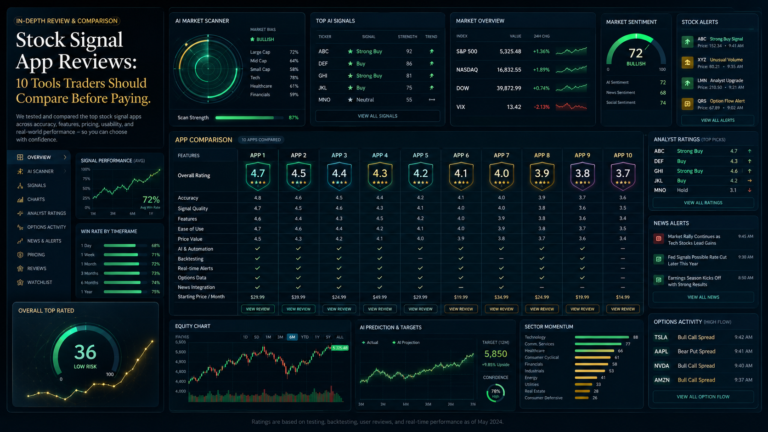
Why stock signal app reviews need clear categories
A stock signal app can mean different things depending on the product.
One tool may send alerts when a stock hits a price level. Another may scan for unusual volume. Another may use AI to rank stocks. Another may help traders follow breaking news. Another may provide charting tools but leave the actual trade decision to the user.
That is why stock signal app reviews should not only ask whether an app has “signals.” They should ask what kind of signal, alert, score, rating, scan, or research output the user is actually getting.
Before paying, readers should check:
Is this a signal app, stock scanner, alert tool, research platform, or charting app?
Does it send direct trade ideas or only help users find their own ideas?
Are alerts based on price, news, technical patterns, analyst data, AI ratings, or options activity?
Can users review past signal behavior or only see current alerts?
Are paid tiers, trials, data fees, and cancellation terms clear?
Does the app reduce noise or create more alerts to manage?
The strongest apps make their role clear. The weakest buying decisions happen when users expect direct signals but actually pay for a scanner, research feed, or alert tool they do not know how to use.
Stock signal app reviews: 10 tools to compare
This list includes stock scanners, AI research platforms, charting tools, alert apps, premium news tools, options screeners, and analyst-rating platforms. They should not all be judged the same way.
Trade Ideas is best understood as a stock scanner and AI-assisted market discovery platform. It is popular with active stock traders because it focuses on real-time scans, alerts, market movement, and AI-driven ideas.
This is not the same as joining a simple signal group. A user is not only paying for a message that says “buy” or “sell.” They are paying for a platform that can scan stocks, surface activity, and help active traders react faster.
That can be useful, but it also creates a learning curve. Trade Ideas may fit traders who already understand scanners, watchlists, momentum, and intraday setups. It may not fit users who want a simple app that tells them exactly what to do.
What to check before paying: price, scanner complexity, alert setup, AI feature access, trial terms, and whether the user trades actively enough to justify the tool.
Main flag to review: a powerful scanner can still create noise if the trader does not have a clear process.
TrendSpider is an automated technical analysis and market research platform. It is useful to compare in stock signal app reviews because many users looking for signals may actually need automated chart analysis, alerts, scans, and technical workflow tools.
TrendSpider may fit traders who want to automate parts of chart review. Instead of manually checking every chart, users can build alerts, scan markets, and use technical tools to find setups.
The main thing to understand is that TrendSpider is not a Telegram signal room. It gives the trader tools to analyze markets, but the trader still needs to decide how to use those tools.
What to check before paying: alert features, automation tools, supported markets, trial access, pricing, and whether the user understands technical analysis well enough to benefit.
Main flag to review: automation can save time, but it does not prove that every setup is worth trading.
Tickeron is an AI-driven research and signal-style platform. It offers AI trading signals, AI robots, market analysis, and tools for stocks, ETFs, and other assets.
Tickeron belongs in this article because it sits closer to the “AI signal app” category than a simple alert app. A reader may compare Tickeron against scanners, AI dashboards, or stock idea platforms.
The key question is how reviewable the AI output is. If a platform shows AI robots, win-rate language, real-time signals, or performance claims, readers should look for history, losses, drawdown, timestamps, and closed trade examples before relying on the headline numbers.
What to check before paying: AI robot history, closed trade data, supported assets, subscription tiers, signal frequency, and how clearly the platform explains its methods.
Main flag to review: AI signals should be judged by visible output, not only by the word “AI.”
Danelfin is an AI stock and ETF research platform built around AI scores. It is not a classic stock signal app that sends short-term trade alerts, but readers may still compare it when looking for AI-driven stock ideas.
Danelfin may fit investors or swing traders who want AI-rated stock research instead of fast intraday alerts. The platform is more about ranking, scoring, and research than sending a simple buy/sell message.
That makes the user check different. Instead of asking whether the app sends alerts quickly, readers should ask whether the AI score is understandable, whether the timeframe fits their trading style, and whether they can see enough history behind the ratings.
What to check before paying: AI score explanation, stock and ETF coverage, timeframe, premium access, trial terms, and whether the ratings fit the reader’s strategy.
Main flag to review: an AI score is not a trade by itself. Users still need a decision process.
TradingView is one of the most widely used charting and market-analysis platforms. It is not mainly a stock signal app, but it matters because many traders use it to create alerts, monitor charts, run screeners, follow ideas, and build their own signal-style workflow.
TradingView may fit users who want control. They can create custom alerts, use indicators, follow watchlists, and compare stocks across technical and fundamental filters. The platform also has a large community, which means users may see public trade ideas or scripts from other traders.
That can be useful, but readers should be careful. Public ideas vary in quality, and a charting platform does not automatically verify the quality of every idea posted by users.
What to check before paying: alert limits, screeners, charting features, paid tier limits, data fees, indicator access, and whether community ideas are being used carefully.
Main flag to review: TradingView can support a signal workflow, but it is not the same as a verified signal service.
Stock Alarm is closer to a pure alert app. It lets users track stocks and other markets and receive notifications when selected conditions are triggered.
That makes it different from AI signal platforms or stock scanners. Stock Alarm may be useful for traders who already know what they want to track but need better notifications. It may not be enough for users who expect the app to find trade ideas for them.
This type of tool can still be valuable. Many traders miss moves because they cannot watch every chart. But an alert is only useful if the user already has a plan for what to do when it triggers.
What to check before paying: supported markets, alert types, push/email/call options, subscription terms, device support, and whether similar alerts are already available through a broker or charting app.
Main flag to review: an alert app helps with notification timing, not trade selection.
Benzinga Pro is a premium market news, alerts, scanner, and audio squawk platform. It is useful to compare because some traders do not need signal alerts as much as they need fast news and market-moving information.
For news-driven traders, speed matters. Benzinga Pro may help users catch headlines, analyst updates, volume spikes, news events, and market-moving stories. But that is different from receiving a stock signal.
The value depends on the reader’s workflow. A day trader who reacts to news may find more use in a real-time news tool than a classic signal app. A casual investor may find it expensive or too fast-moving.
What to check before paying: news speed, squawk access, alert setup, scanner tools, mobile access, trial terms, and whether the user actually trades around news.
Main flag to review: fast news is useful only if the trader has a process for acting on it.
Seeking Alpha is a premium stock research platform with articles, Quant ratings, screeners, analyst views, and portfolio tools. It is not a traditional stock signal app, but many readers compare it against signal apps when deciding where to spend money.
Seeking Alpha may fit investors who want research, ratings, and stock analysis rather than intraday alerts. The platform is more useful for readers who want to study companies and compare ratings than for users who want rapid trade signals.
The main check is whether the research style fits the reader. A long-term investor may get more value from premium research than a short-term trader who wants quick alerts.
What to check before paying: Quant ratings, screener tools, author research, subscription terms, portfolio features, and whether the content fits the reader’s timeframe.
Main flag to review: research quality and usefulness can vary depending on the user’s strategy.
Market Chameleon is a stock and options research platform with screeners and unusual options activity tools. It is not a simple stock signal app, but it can help traders identify market activity that may deserve attention.
This platform may fit options traders or event-driven market researchers. Users may look at unusual options volume, volatility tools, earnings data, and other market screens. That can support trade idea generation, but it is not the same as receiving direct signals.
For readers who do not trade options, Market Chameleon may feel too specialized. For options-focused traders, it may be more useful than a generic signal app.
What to check before paying: options data access, unusual activity screens, earnings tools, volatility tools, subscription limits, and whether the user understands options well enough to use the data.
Main flag to review: options data can be powerful, but it can also be confusing if the user does not understand the market context.
TipRanks is a stock research and analyst-rating platform. It includes analyst ratings, expert performance tracking, screeners, stock research tools, and app-based access.
It fits stock signal app reviews because some users looking for stock signals may actually want analyst consensus, price targets, data scores, or research tools. TipRanks can help readers compare expert opinions, but it is not the same as a short-term trading alert service.
The main check is whether the reader wants analyst-driven research or direct trading alerts. Those are different products with different use cases.
What to check before paying: analyst ratings, expert track records, Smart Score or similar tools, screener features, app experience, country access, and subscription tiers.
Main flag to review: analyst ratings can support research, but they should not be treated as automatic trade instructions.
Stock scanner, alert app or research platform: know the difference
The most important lesson from these stock signal app reviews is that “signal app” is not one category.
Trade Ideas, TrendSpider, Tickeron, and Market Chameleon are closer to scanners or advanced market tools. Danelfin, Seeking Alpha, and TipRanks are closer to research and rating platforms. TradingView is a charting and alert platform. Stock Alarm is a notification-focused app. Benzinga Pro is a real-time news and alert platform.
That means readers should not ask only which app is best. They should ask which type of tool they need.
A trader who wants fast alerts may prefer Stock Alarm or TradingView alerts.
A trader who wants AI-driven stock ideas may compare Tickeron, Danelfin, or Trade Ideas.
A trader who follows breaking news may care more about Benzinga Pro.
A trader who studies options activity may compare Market Chameleon.
A trader who wants analyst research may compare Seeking Alpha or TipRanks.
Each category has a different purpose. Paying for the wrong type of tool can be frustrating even when the product itself is legitimate.
What readers should check before paying
Before paying for any stock signal app, scanner, or research tool, readers should check these areas.
Proof and history: does the platform show past output, closed trades, AI score history, alert examples, or performance context?
Product category: is the tool a signal app, scanner, alert app, news platform, charting tool, or research platform?
Alert quality: are alerts useful and timely, or do they create too much noise?
User control: does the trader control the filters and alerts, or does the platform send fixed ideas?
Data fees and paid tiers: are exchange data, real-time alerts, premium screeners, or advanced features locked behind higher plans?
Cancellation and trial terms: can users test the tool before paying long term?
Workflow fit: does the tool match the trader’s actual market, timeframe, and skill level?
The best tool is not always the most advanced one. It is the one that fits the user’s process.
Final thoughts
Stock signal app reviews should help readers compare what tools actually do before they pay.
A stock scanner is not the same as an alert app. An AI rating is not the same as a trading signal. A news squawk is not the same as a charting platform. A research subscription is not the same as a signal group.
That does not make one category better than another. It means users should understand what problem they are trying to solve.
Before subscribing, readers should ask:
Do I want direct trade alerts?
Do I want AI stock ideas?
Do I want chart alerts?
Do I want news speed?
Do I want analyst research?
Do I want options activity?
Do I want a scanner I can customize?
If the answer is clear, choosing between stock signal apps becomes easier.
For more comparison-led articles, use the Market Insights & Trading Signal Guides hub. If there is a stock signal app, scanner, alert tool, or research platform that should be reviewed by AISignalsBot, suggest it through the contact page.